Track
Track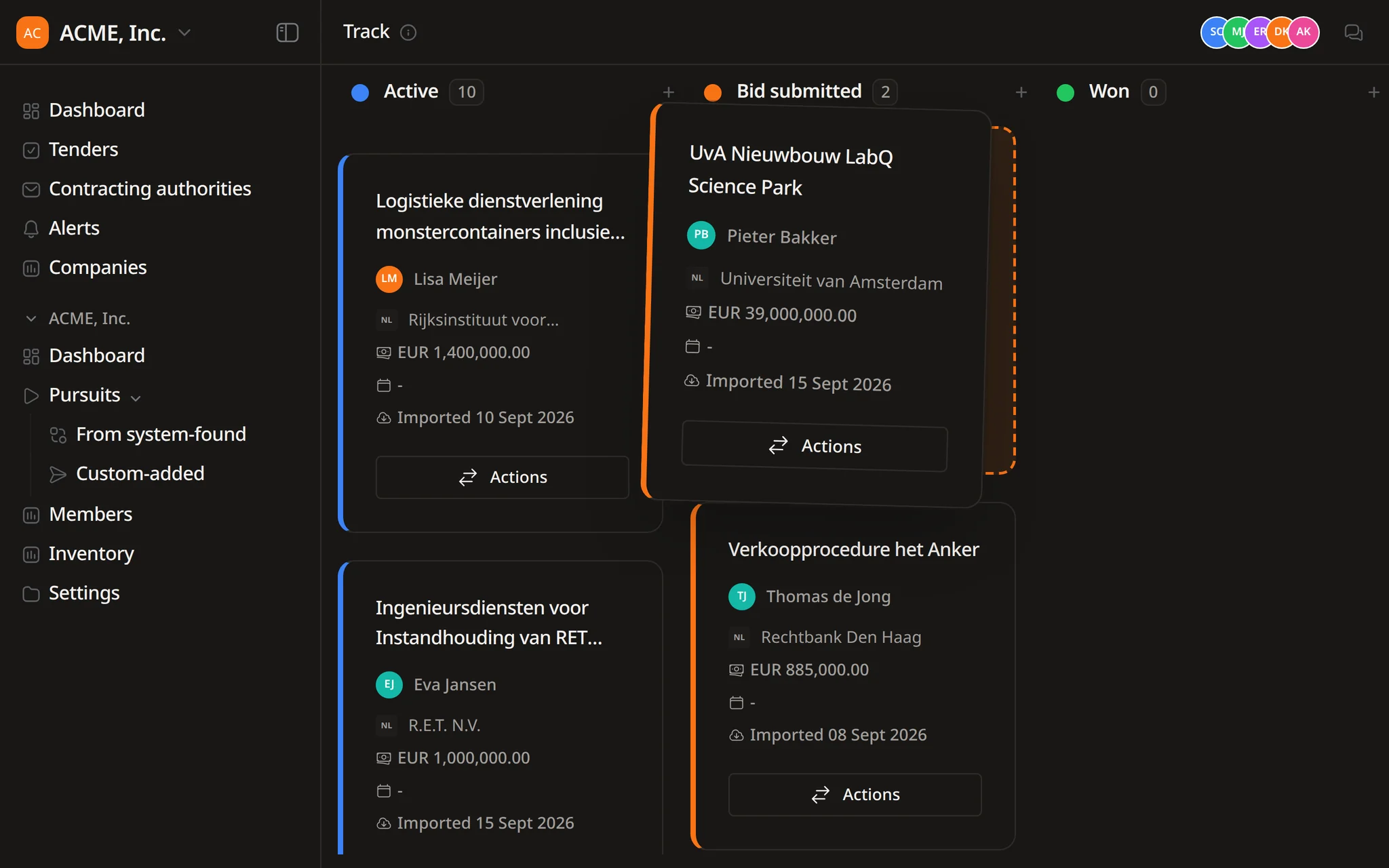
Alert rules set up in a conversation
Describe the tenders you want in the pipeline. Flow drafts the alert rule and creates it once you approve.


Find opportunities, choose which ones to pursue, prepare the response, and track the deadline.
Search notices, buyers, and CPV codes. Save useful searches and keep deadlines in view.
Improve text, translate it, remove sensitive details, or fill a template, then review each change in the same Word file.
Get notified when a relevant tender appears. Check the details, keep deadlines in view, and decide what needs attention next.
 Track
Track
Track shows each pursuit from active to won. Flow, the Tendersight agent, reads the tender files and reports what each bid still needs.
Pipeline value per stage
Deadlines copied from the notice
Weekly summaries from Flow
The board shows where each bid stands. Flow tells you what it still needs.
Ask about any pursuit in plain words. Flow reads its requirements, documents and dates, and answers with what is missing and where it found it.
A team with several live tenders needs the same picture every morning: what is due, who owns it and what is still missing.
Some are in preparation, some are submitted and waiting, some are decided.
Corrigenda and clarification answers can move a date after the work has started.
Each pursuit needs a person accountable for getting it submitted on time.
Guarantees, certificates and declarations that nobody has uploaded yet.
Management asks what is in play, what was sent and what was won.
When a price or a document changes near the deadline, the team needs to see who changed it.
Track holds the board. Flow does the reading: it finds tenders, pulls dates from documents and reports what each bid still needs.
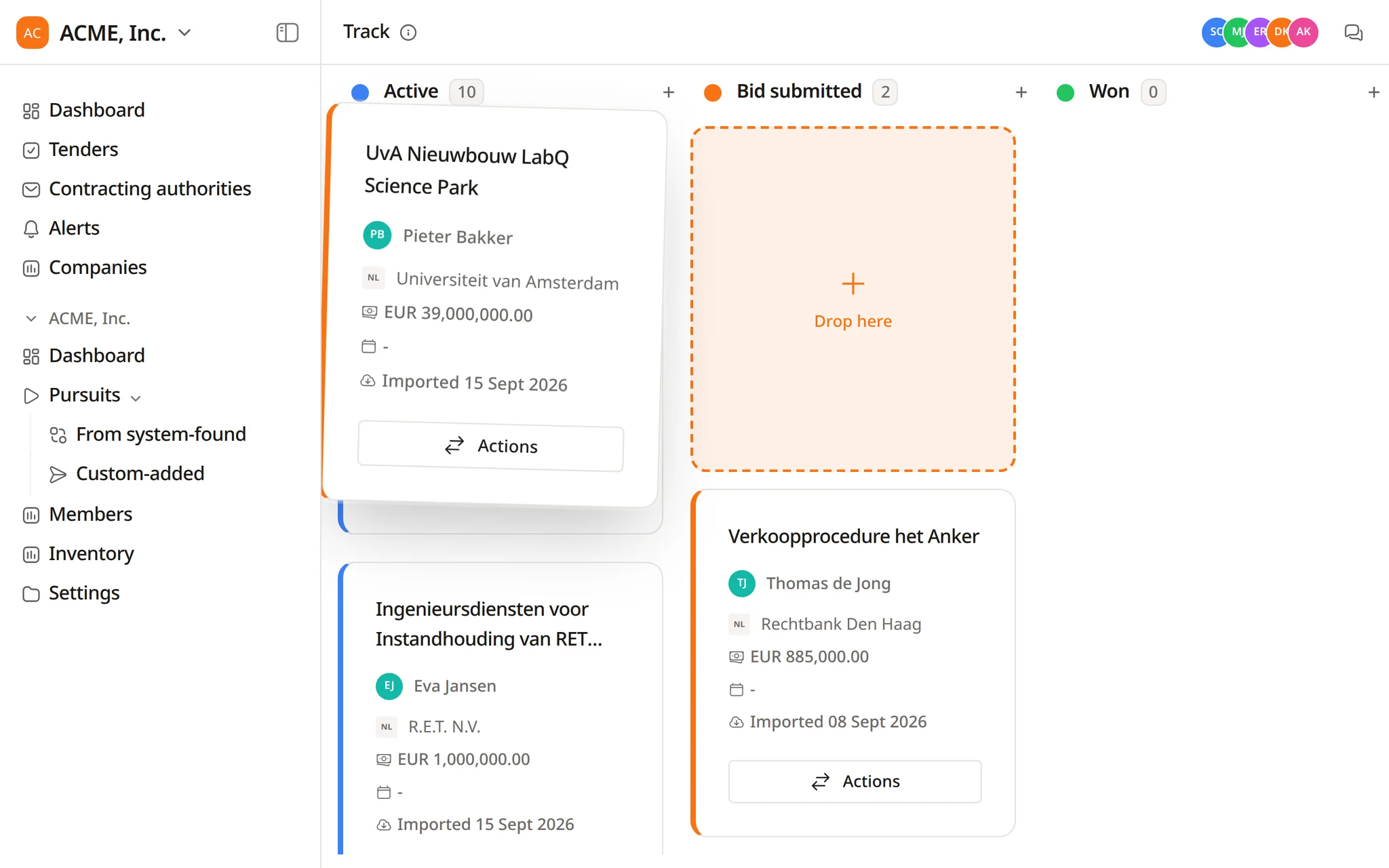
Pursuits sit in Active, Bid submitted, Won and Lost, each column with its count and pipeline value. Filter by deadline, value, owner or source.
Ask Flow for tenders in plain words. It searches the notices, and the pursuits you create carry the deadline and value from the notice.
Beyond the submission deadline, Flow finds clarification cut-offs, site visits and guarantee periods, quotes each one with its page and checks them against your documents.
Flow opens the pursuit, checks its requirements and required documents, and tells you what is missing before the deadline.
A scheduled task summarises the pursuits due soon, grouped by owner. Each run opens its own thread for the team.
Examples from bid managers who run several tenders at the same time.
Find engineering services tenders in the Netherlands and Belgium closing after 1 November, with an estimated value above €500,000.
Which active pursuits close in the next 14 days, and how complete is each one?
Compare the required documents in the tender file with the pursuit library and list the gaps.
Read the school renovation tender and list every date: clarifications, site visit, submission and guarantee validity.
Every Friday at 15:00, list the pursuits we submitted this week with their estimated value.
Show the contracting authority statistics for the regional water authority before we add this tender to the pipeline.
Alerts that feed the board, tasks from the tender file and a record of progress on every pursuit.
Describe the tenders you want in the pipeline. Flow drafts the alert rule and creates it once you approve.
In-depth analysis lists the tasks a tender implies. Your team imports the useful ones and gives each an owner and a due date.
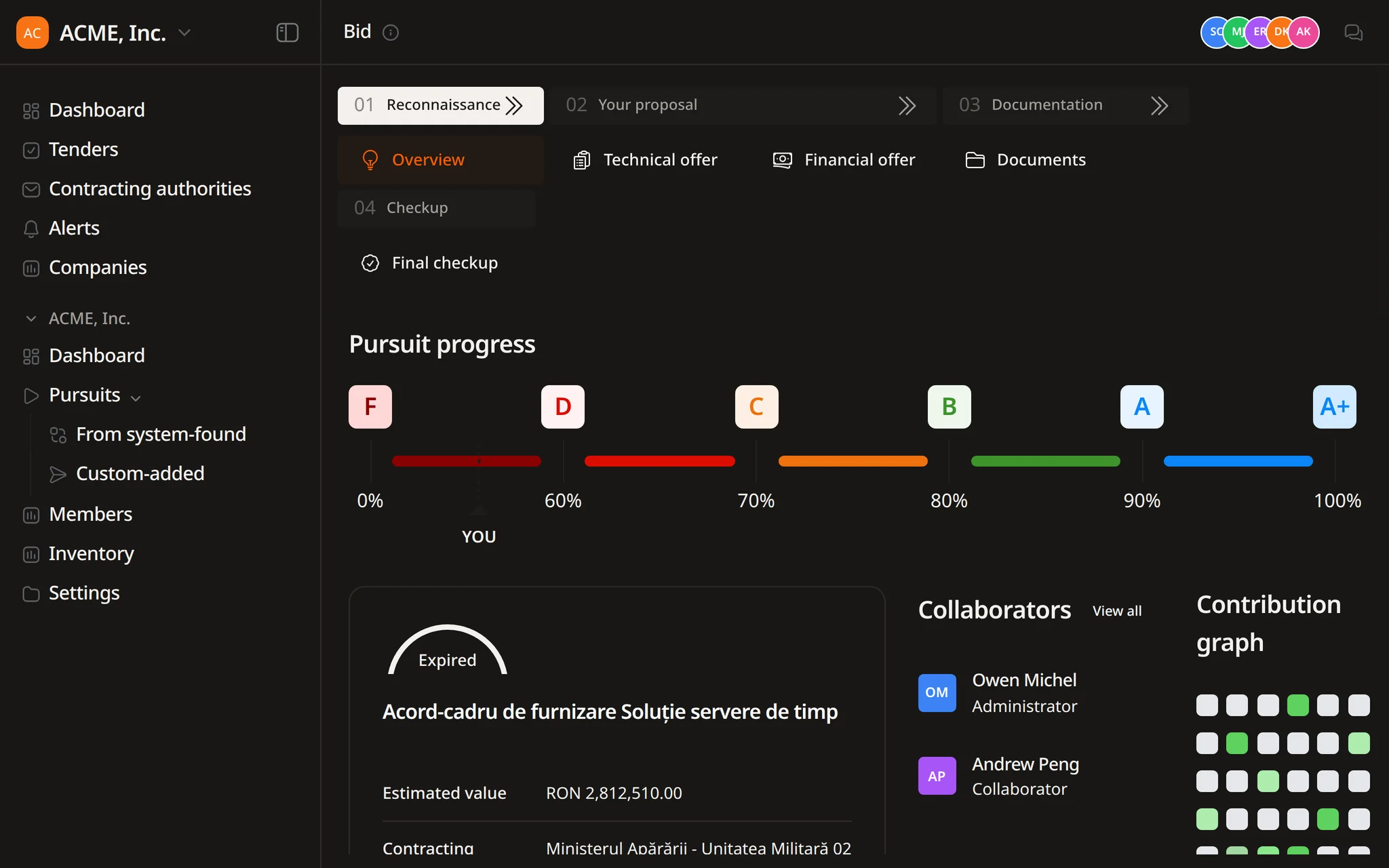
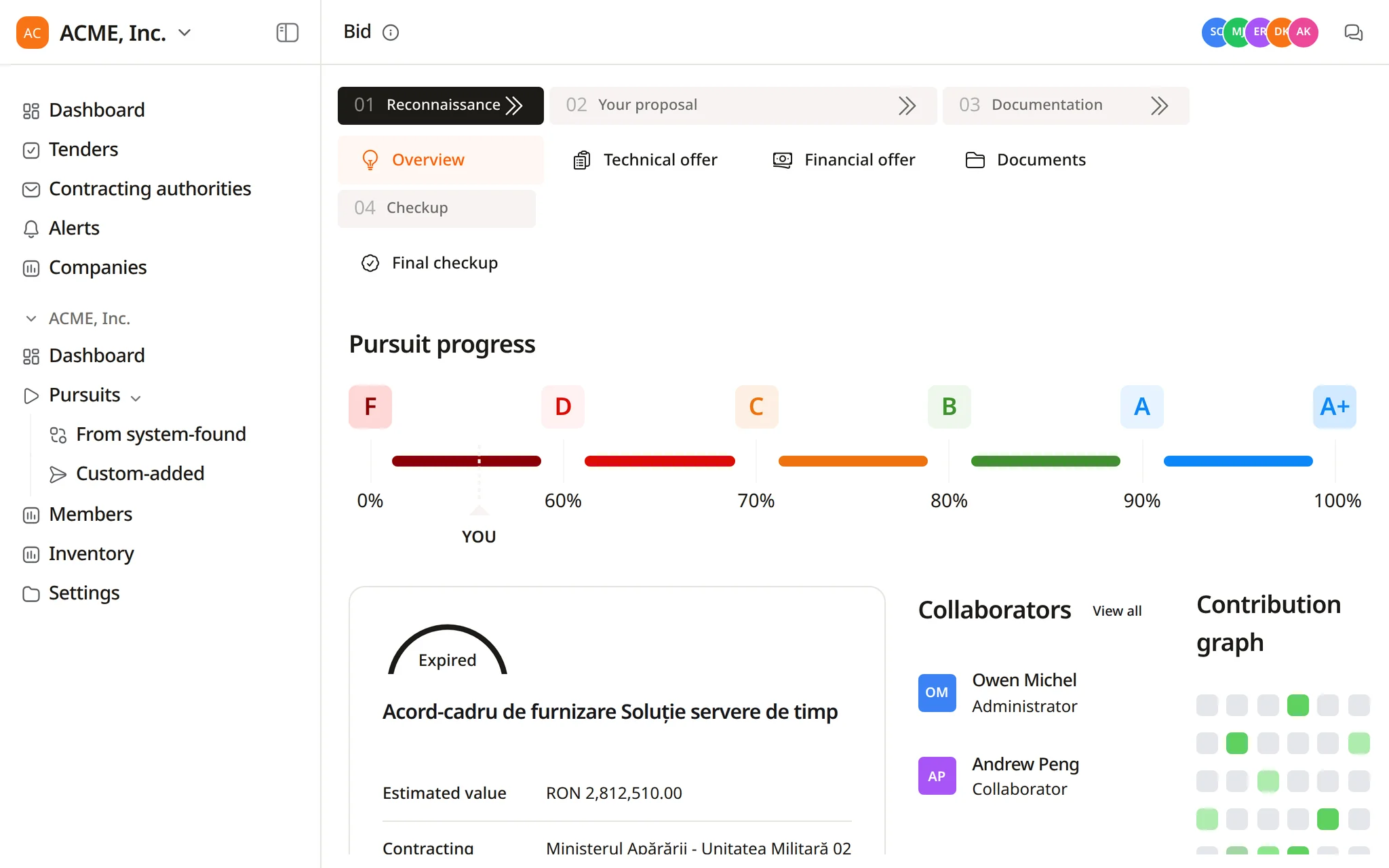
Each pursuit keeps a recent activity feed of member actions, such as uploads and completed analyses, next to a contribution graph.
The pursuit overview shows how complete the bid is across its modules, graded from F to A+ and synced with the final checkup.
The submission deadline travels with the pursuit. The other dates sit in the tender documents, and Flow reads them out.
Submission deadline
Clarification cut-off
Site visits and other milestones
Guarantee validity
Task due dates
Pursuits due soon
In a demo we set up pursuits from tenders you are following and ask Flow what each one still needs.
Won and lost pursuits and their estimated values feed the win rate and pipeline reports in Insights.
Every pursuit sits on a kanban board in Active, Bid submitted, Won or Lost. Your team moves cards as bids progress, and each column shows its count and total estimated value. You can filter by deadline, value, owner and source.
The submission deadline and estimated value are copied from the notice when a pursuit is created, or entered by hand for standalone pursuits. Other dates, such as clarification cut-offs and guarantee validity, Flow reads from the tender documents and quotes with the page.
No. Your team changes the status of each pursuit. Flow finds tenders, creates pursuits, reports what each one still needs and can run a scheduled summary of the pursuits that are due.
Yes. The pursuit overview has a contribution graph and a recent activity timeline of actions taken by members, such as uploads and completed analyses. Changes that Flow proposes are approved in the thread, where each decision is recorded.
Flow does not send emails. You can schedule it to summarise the pursuits due in the coming days, and each run opens a thread your team can read. Pursuits with approaching deadlines also appear on the Home start screen.
Start free, create your first pursuits and ask Flow what each one still needs.